
# Bot lists
Bot lists are used to manage known bot IP addresses and User-Agent signatures. Additional values are evaluated by the "Bot" filter.
You can add both single IP and CIDR. Example:
8.8.8.8
4.4.4.0/24
2
To convert between an IP range and CIDR, use the online service Ipaddressguide.
# Managing bot lists
Go to the page Settings → Bot lists:
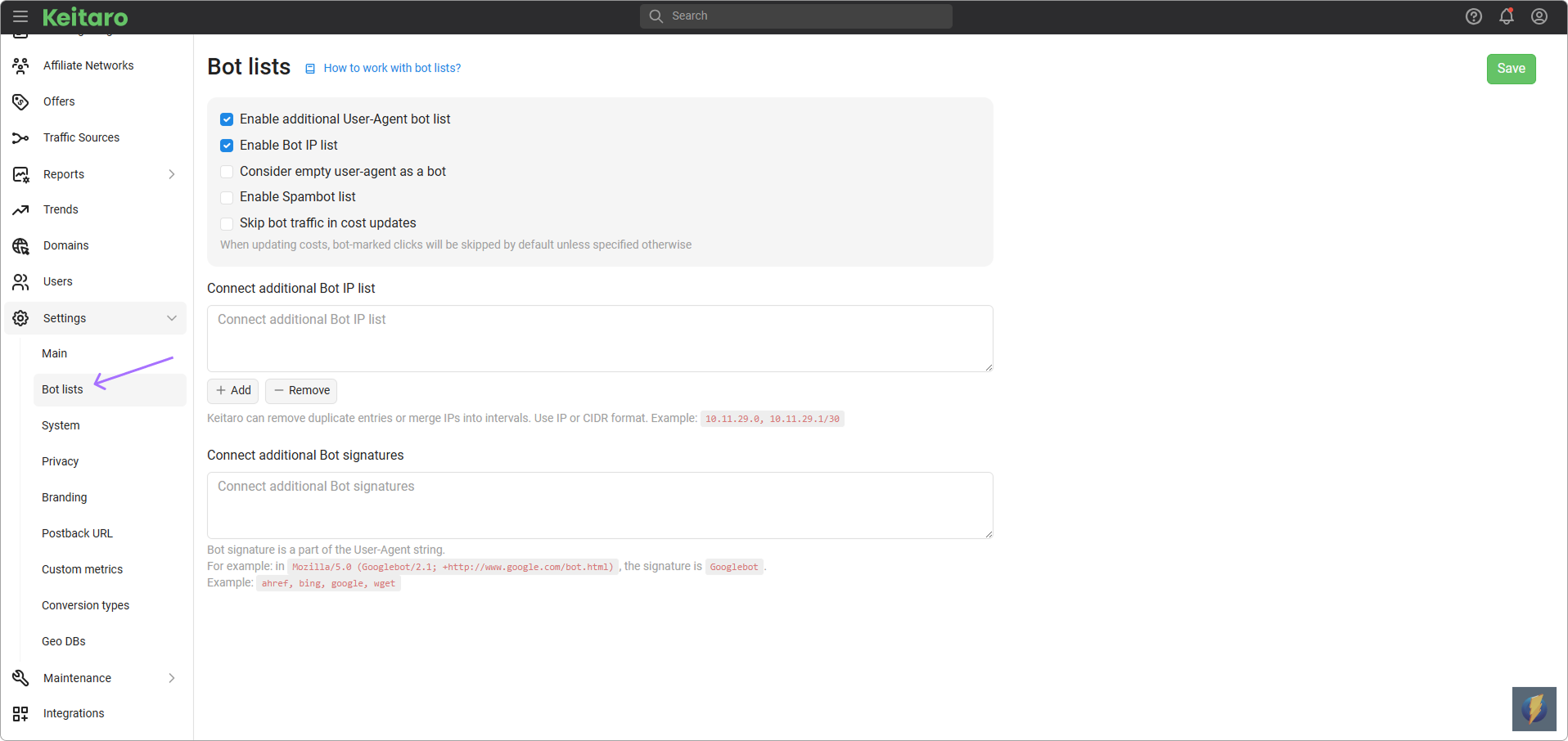
Enable additional User-Agent bot list — enables an additional internal list of User-Agent values that the system identifies as bots.
Enable Bot IP list — enables an additional internal list of IP addresses that the system identifies as bots.
Consider empty user-agent as a bot — marks a click as bot if the request does not contain a User-Agent header.
Enable Spambot list — enables a separate list of spam bots used to detect unwanted automated traffic.
Skip bot traffic in cost updates — determines whether clicks marked as bots must be excluded when updating costs.
# Adding values
To add IP addresses and User-Agent signatures to the bot list, go to Additional Bot IP list or Additional Bot signatures:
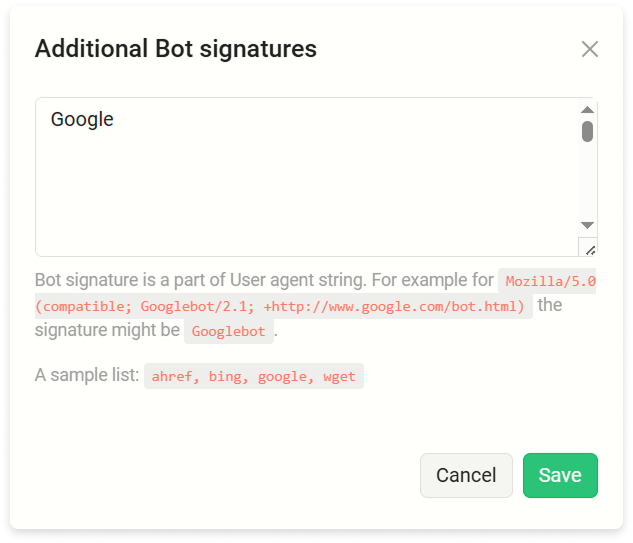
- Add — add new values to the list.
- Remove — upload values to remove from the previously added list.
- Clean — completely remove the previously uploaded list.
# Adding a large list
Use SCP or alternative to upload the bot list. Then run in your terminal:
kctl run cli-php bots:import var/bots/bots.txt