
# Geo databases
Geo databases in Keitaro are databases used to determine visitors’ geolocation based on their IP addresses.
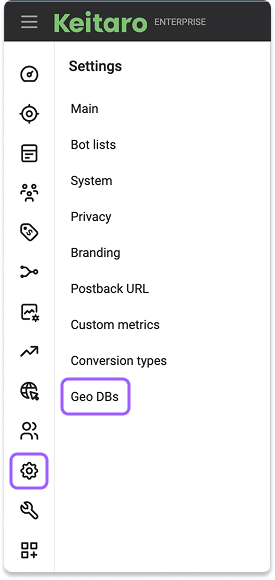
Geo database settings are located in Settings → Geo DBs:
# Managing Geo databases
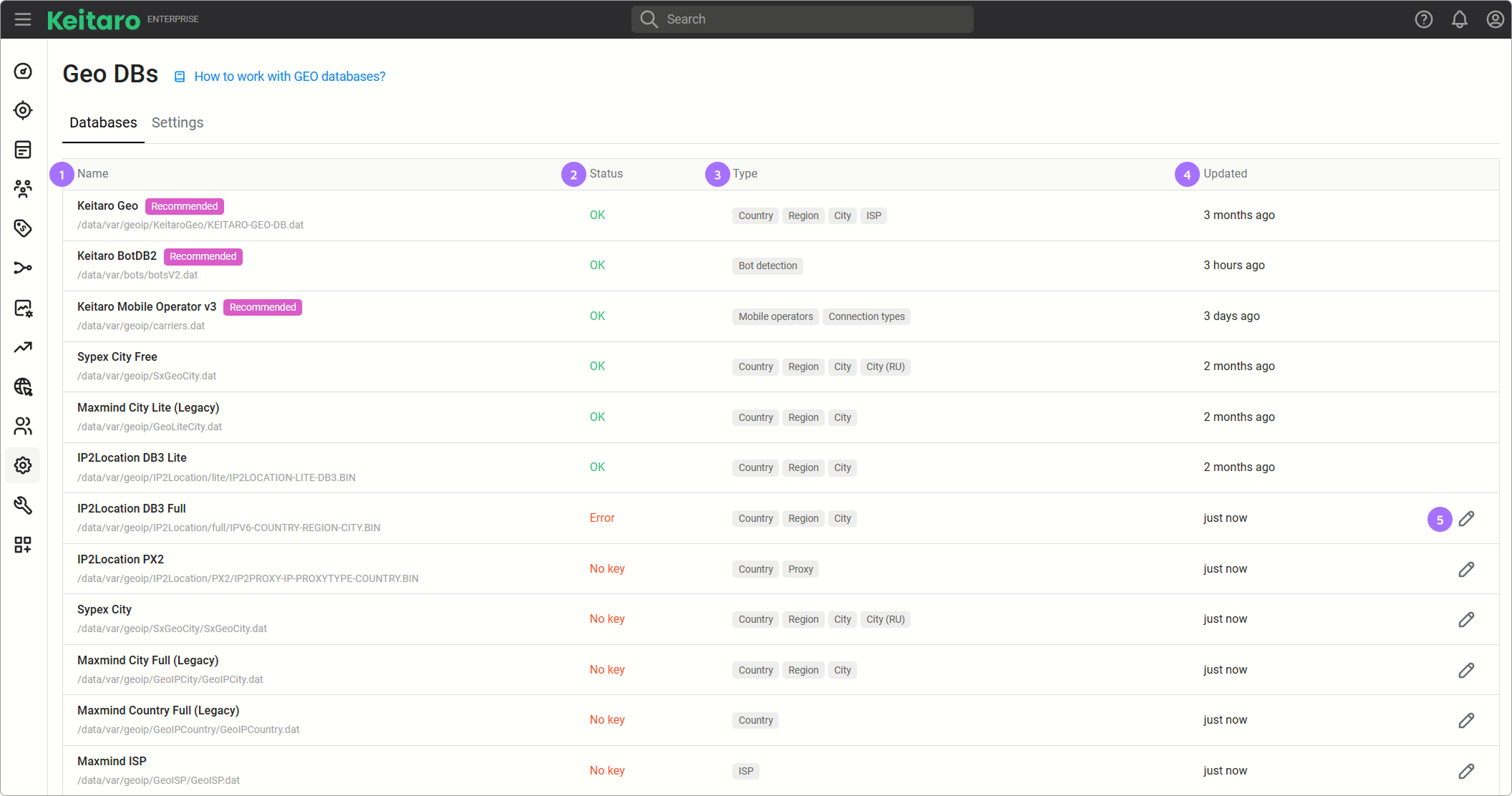
Name — the name of the Geo DB.
Status — the connection status of the Geo DB.
- OK — the Geo DB is connected.
- No key — the Geo DB key is not specified.
- Error — the key is invalid or expired.
Type — the type of data provided by the Geo DB.
Updated — shows how long ago the Geo DB was last updated.
Add key or token button — adds a key or token for a paid Geo DB.
# Settings
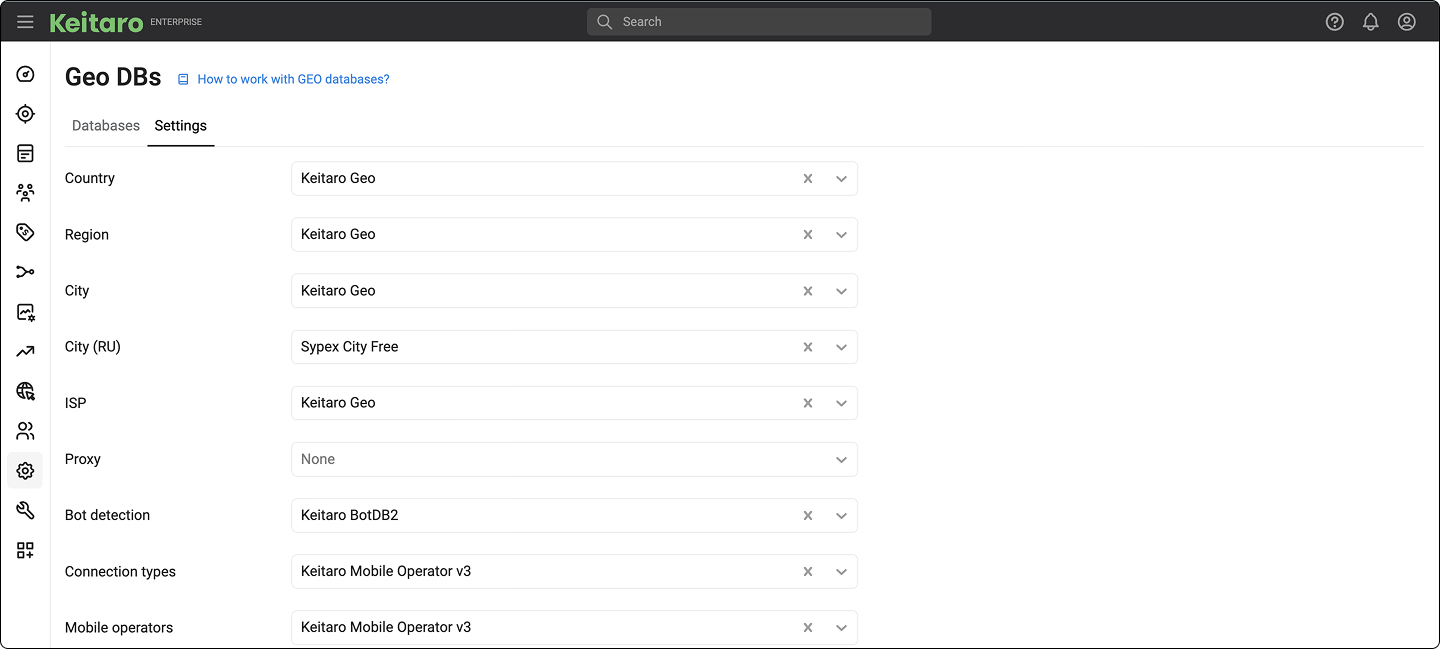
The Settings section defines which Geo database is used for each data type.
# Supported Geo databases
- Keitaro Geo (recommended). Keitaro Geo is IP-Country-Region-City-ISP Database. Available by default at Keitaro version 10 and higher. Keitaro Geo is similar in scope and class to IP2Location DB4
- IP2Location PX2: proxy, VPN
Supported:
- IP2Location DB3 Country-Region-City
- IP2Location DB4 Country-Region-City-ISP
- Sypex Geo City Lite
- Sypex Geo City
These databases are no longer supported because of a new binary database access policy:
- MaxMind City Lite (country, region, city)
- MaxMind City Full (country, region, city)
- MaxMind ISP (country, region, city, ISP)
- MaxMind Connection Types
- MaxMind Country (country)
# How can I improve the quality of Country and City lookups?
Use full versions of Geo databases.
# How can I view IP addresses in operator or bot databases?
Databases are set in a binary format and are not for the viewing.
# How to add your own lists of operators?
This is not possible. Use the IP filter in a flow instead.
# IP2Location
Keitaro supports DB3 (City) and DB4 (ISP), IP2Location PX2 database (detecting proxy, VPN).
# Automatic uploading IP2Location DBs
- Purchase DB3 or DB4 ip2location.
- Enter your login and password in Settings → Geo DBs.
# Manual uploading IP2Location DBs
Purchase DB3, DB4, or PX2 database ip2location.
Upload BIN file to Keitaro:
- DB4 (ISP)
var/geoip/IP2Location/full_isp/IPV6-COUNTRY-REGION-CITY-ISP.BIN - DB3 (City)
var/geoip/IP2Location/full/IPV6-COUNTRY-REGION-CITY.BIN - PX2 (VPN and proxy)
/var/geoip/IP2Location/PX2/IP2PROXY-IP-PROXYTYPE-COUNTRY.BIN
# Sypex
# Manual installation and update of Sypex Geo City Lite
- Download the latest database archive
https://sypexgeo.net/files/SxGeoCity_utf8.zip. - Unzip the archive and rename the database file to SxGeoCity.dat.
- Upload the file to the directory
/var/www/keitaro/var/geoip/SxGeoCity(create if missing).
# Manual installation and update of Sypex Geo City
- Purchase a license for Sypex Geo City.
- Download the database archive in UTF-8 encoding.
- Unzip the archive and rename the database file to SxGeoCity.dat.
- Upload the file to the directory
/var/www/keitaro/var/geoip/SxGeoCity(create it if it does not exist).
# FAQ
Why is Sevastopol and Crimea defined as Ukraine?
According to Whois IP networks Sevastopol and Crimea will be defined as Ukraine.
How often are the databases updated?
Geo databases are updated automatically:
- Keitaro Geo, IP2Location, and Sypex — monthly.
- ISP databases — twice a month.
- Bot database v2 — monthly.