
# Facebook Costs
advanced expert team enterprise
The Facebook Cost integration imports costs from a Facebook Ads ad account to Keitaro. Cost data is displayed in tracker reports and used to evaluate advertising campaign performance.
The cost integration is separate from the conversion sending integration. To send events to Facebook via Conversions API, see Facebook Conversions.
# Creating the Integration
Open Integrations and select Facebook Cost:
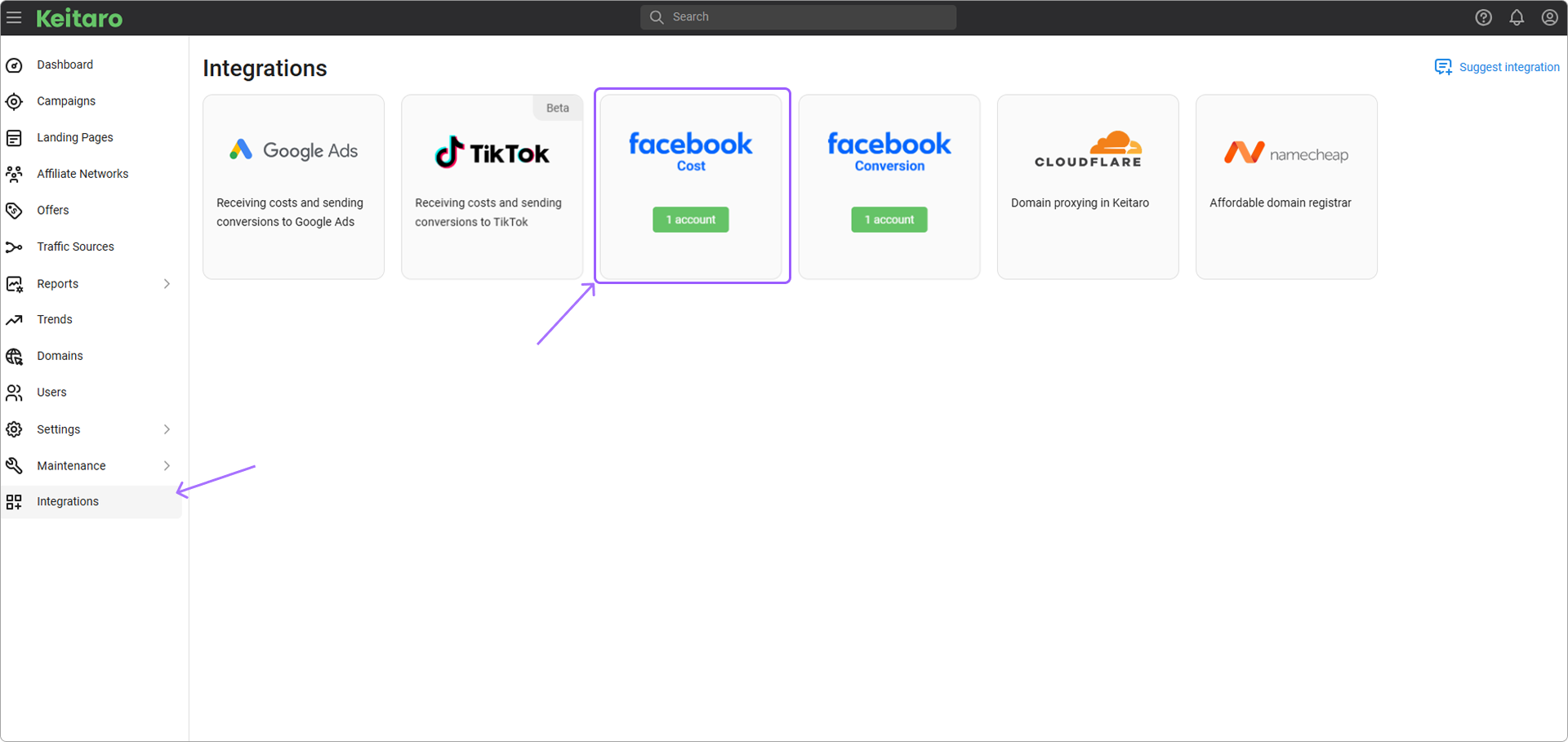
Click Add account. The integration creation form opens.
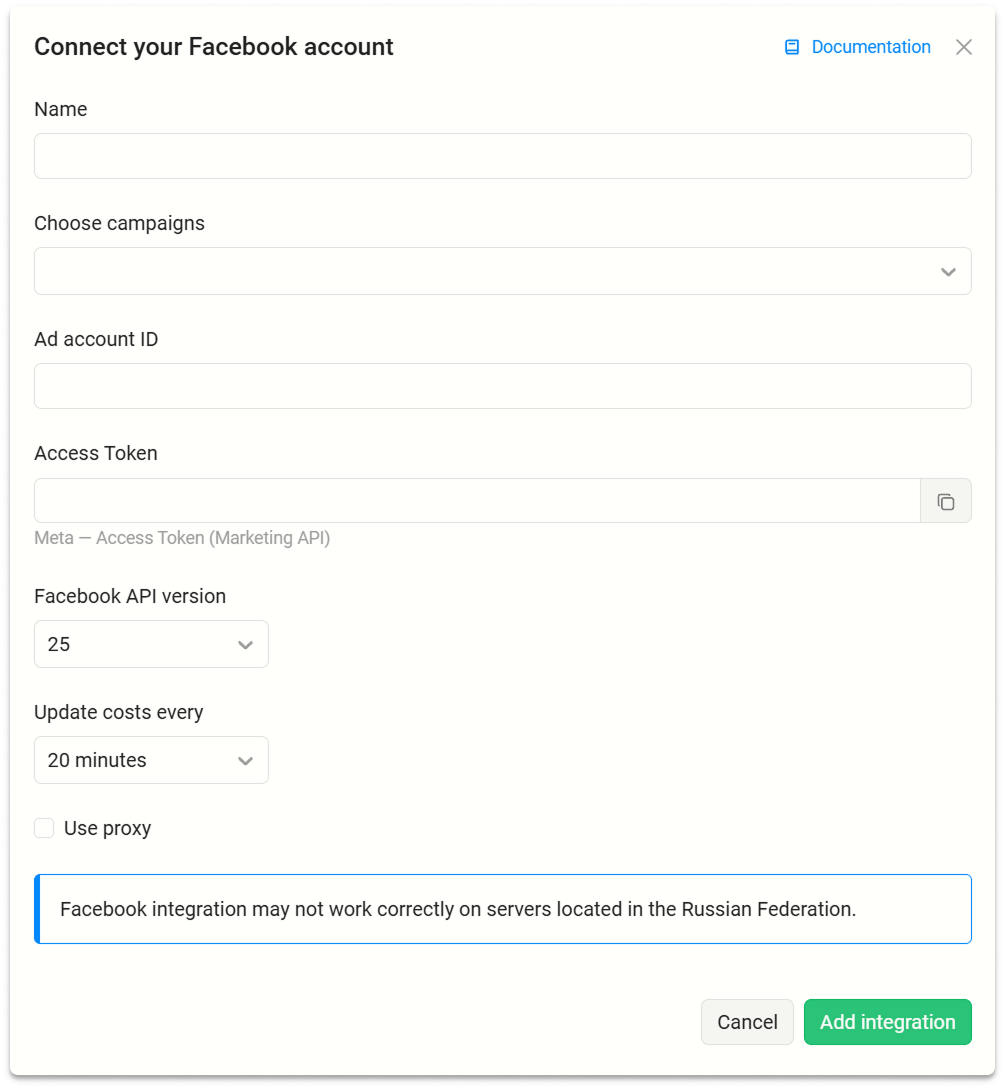
# Integration Parameters
- Name. Integration name.
- Choose campaigns. Keitaro campaigns for updating costs from Facebook.
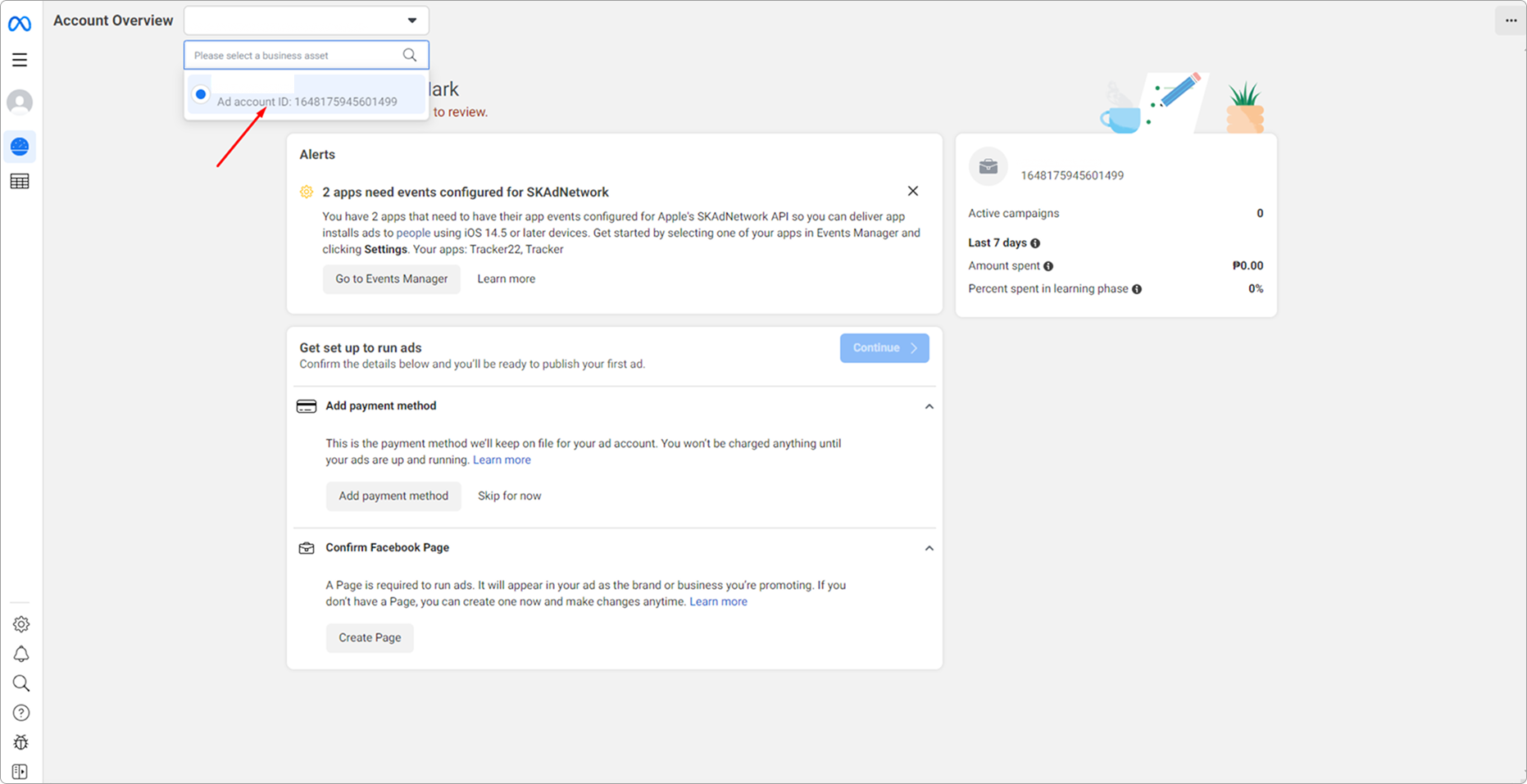
- Ad account ID. Facebook ad account ID. See Ad account ID.
- Access Token. Token for connecting to the ad account via API. See Access Token.
- Facebook API version. Facebook API version used for integration requests.
- Update every. Automatic cost update interval.
- Use proxy. Sends requests to Facebook API through a proxy.
# Ad Account ID
Open Facebook Ads Manager and copy Ad account ID:
# Access Token
Log in to Facebook.
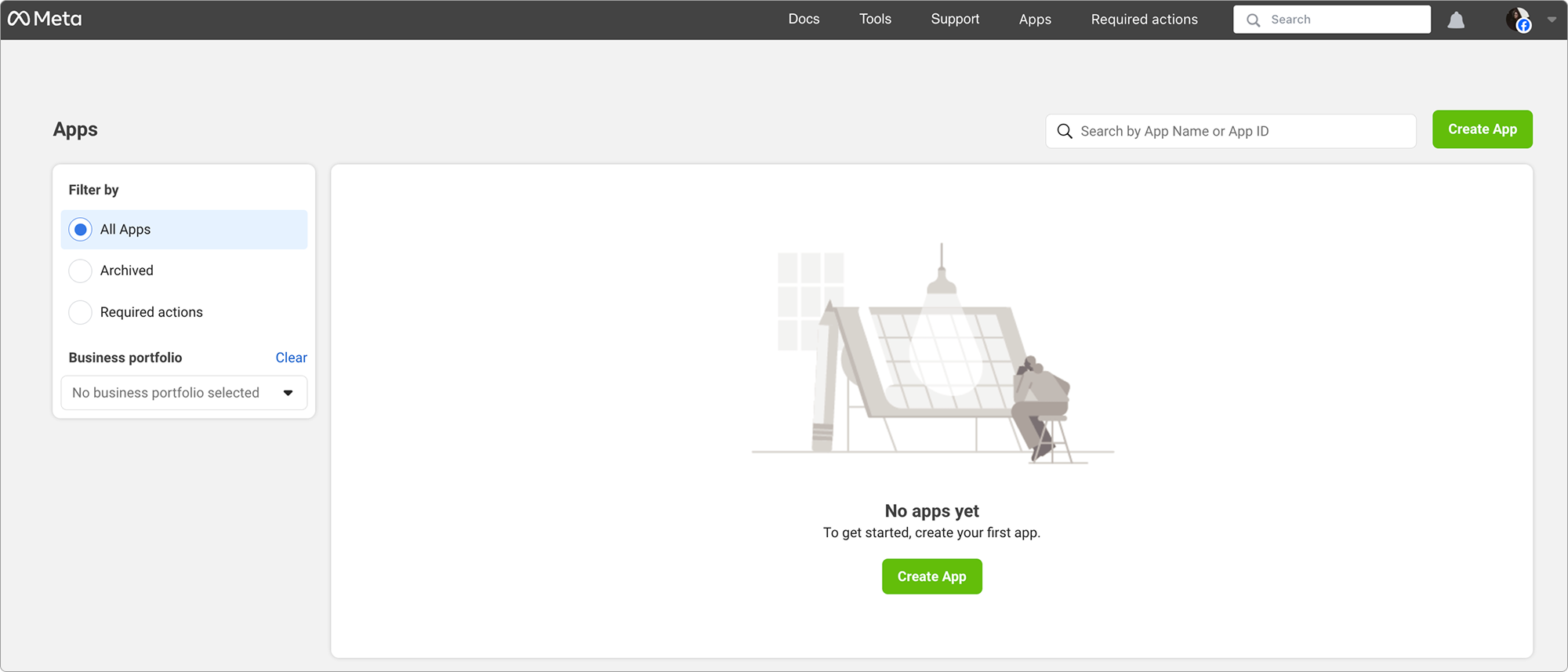
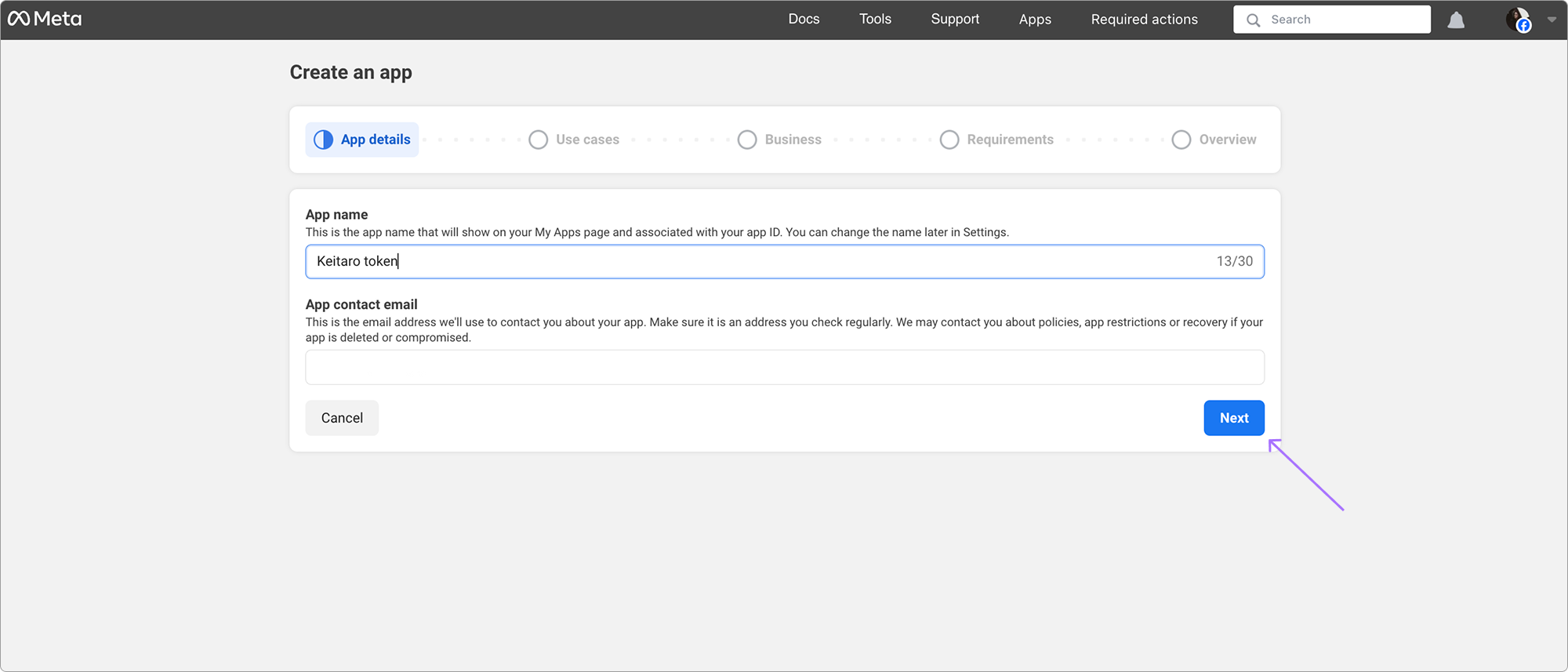
Open the Apps page and click Create app:
- Click Next:
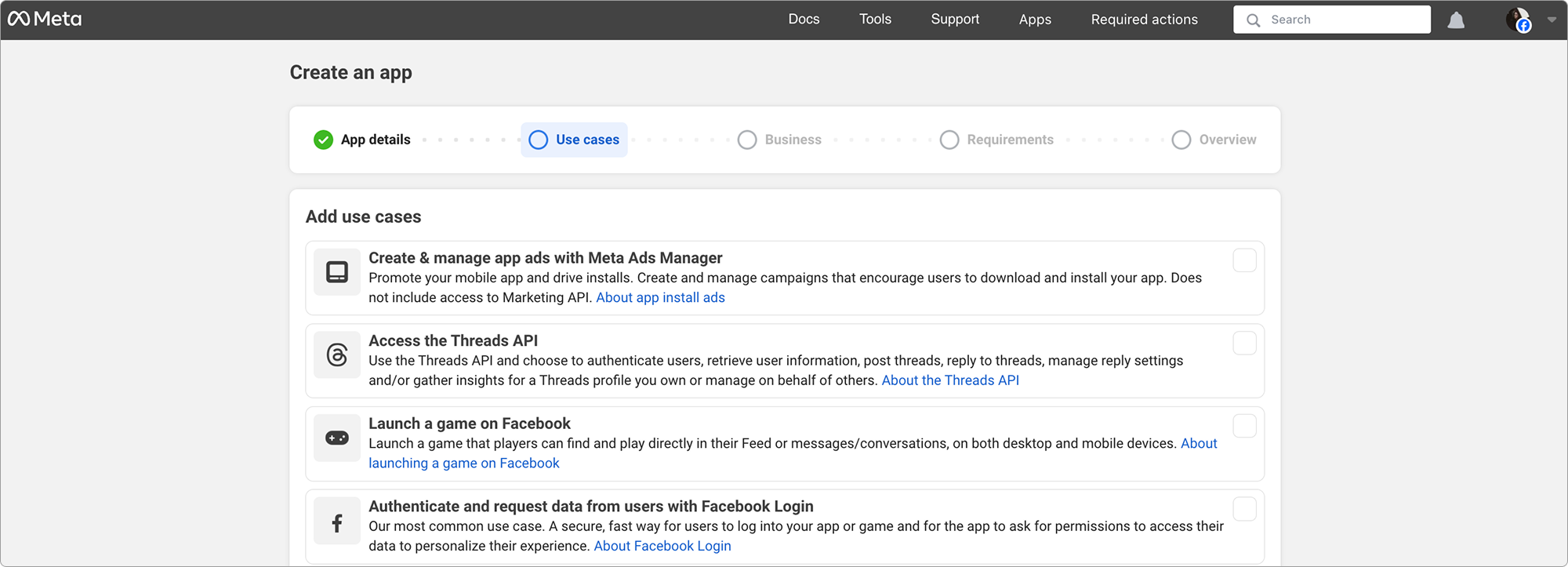
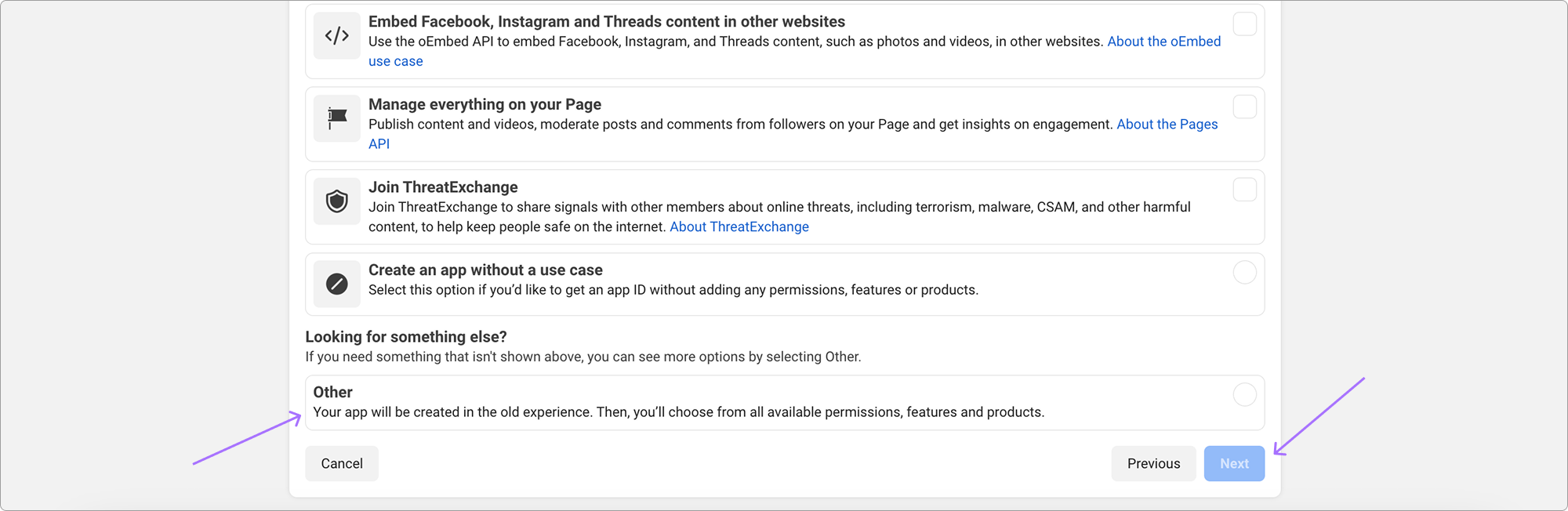
- Select Other and click Next:
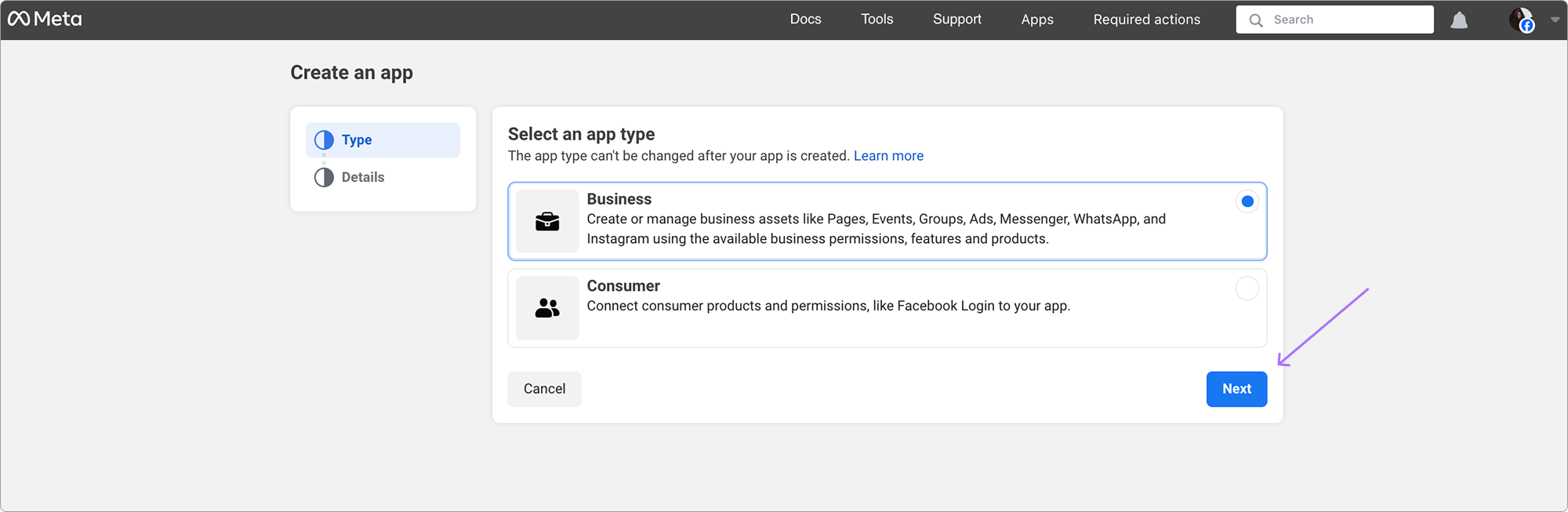
- Select Business and click Next:
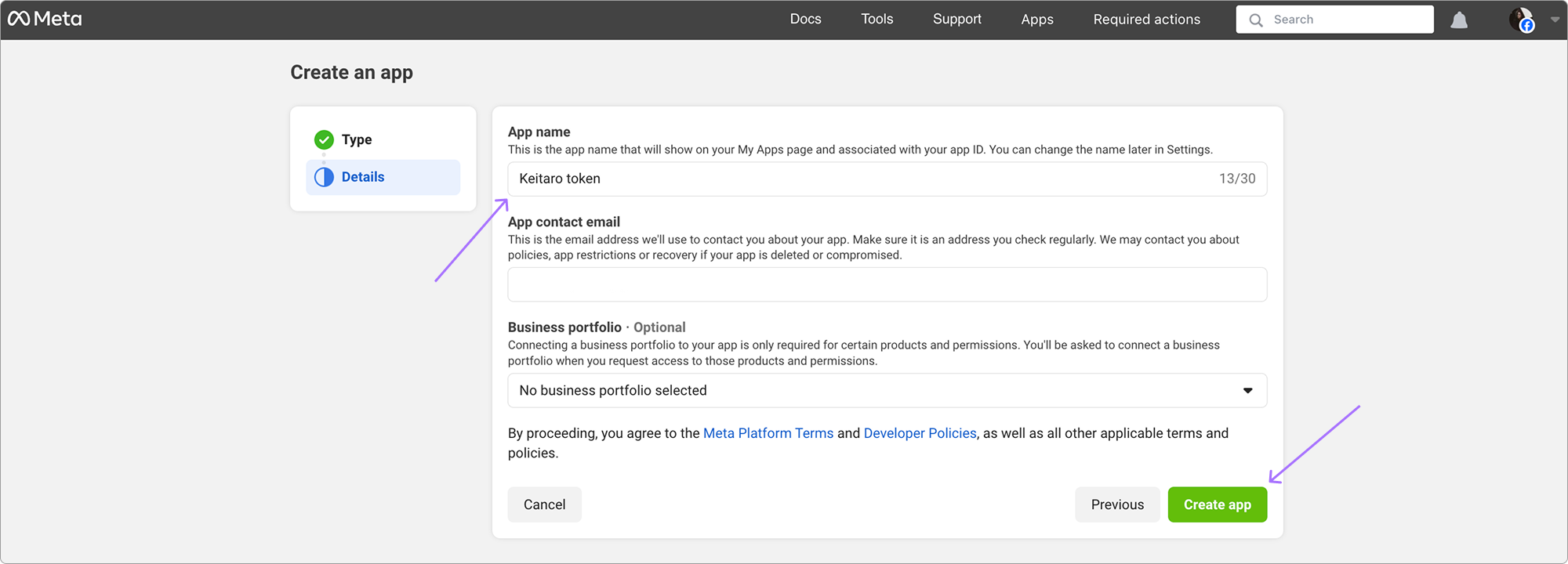
- Enter the app name and contact email address. Click Create app:
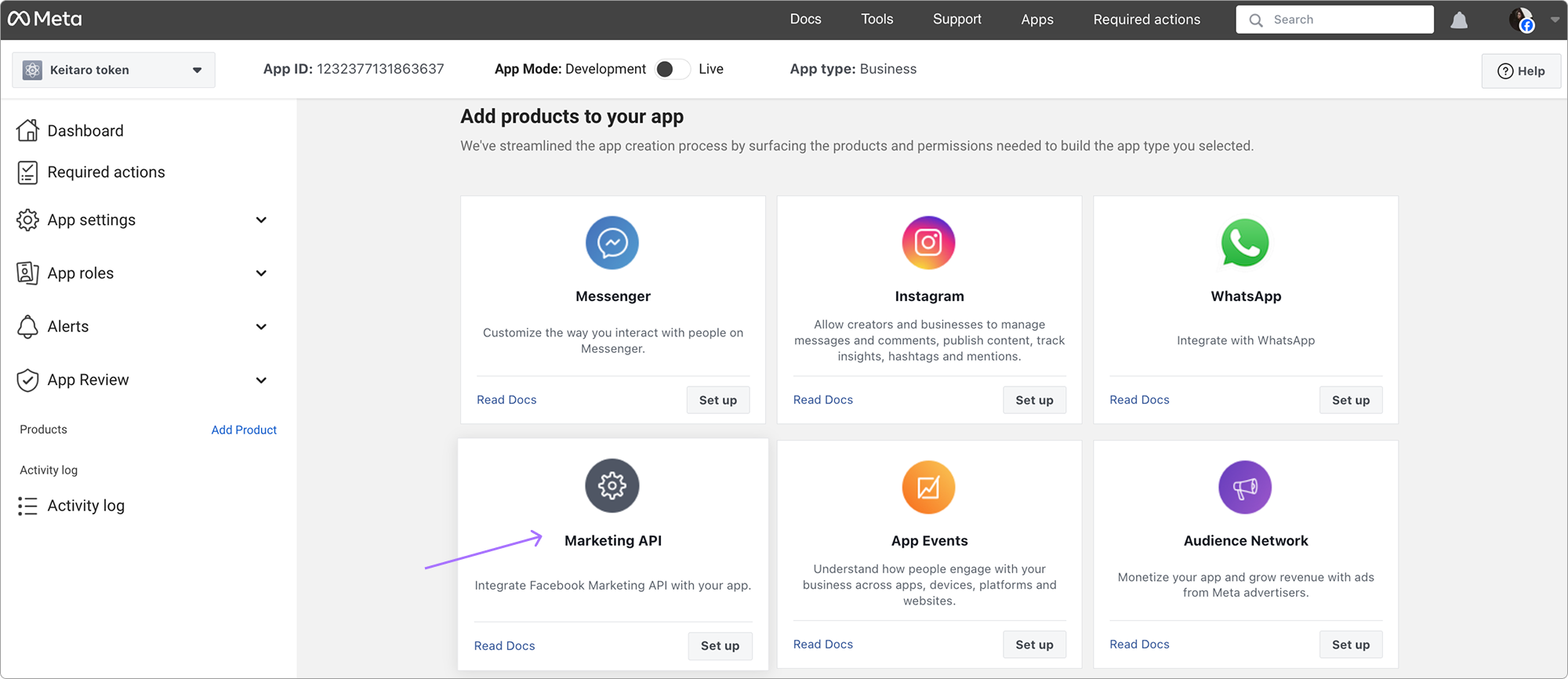
- Open the app settings. Select Marketing API and click Set up:
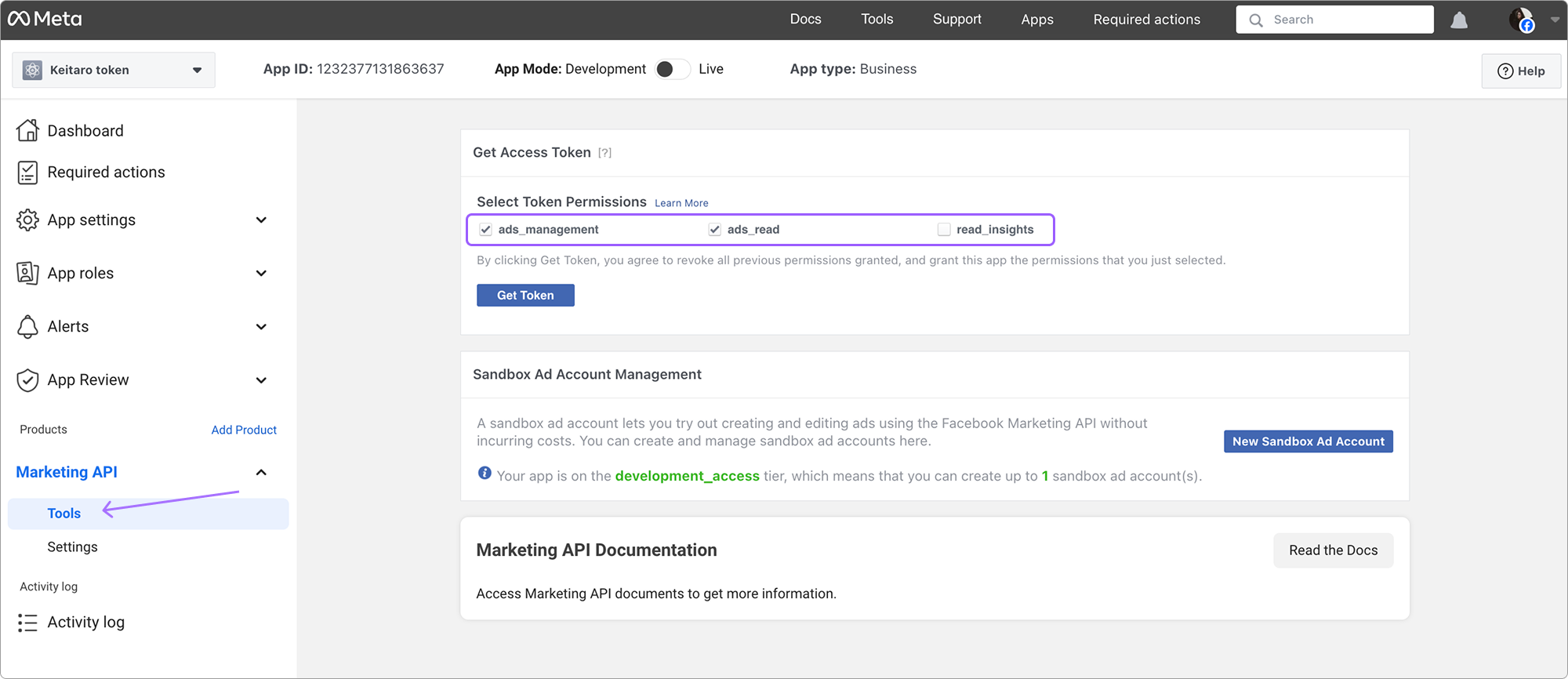
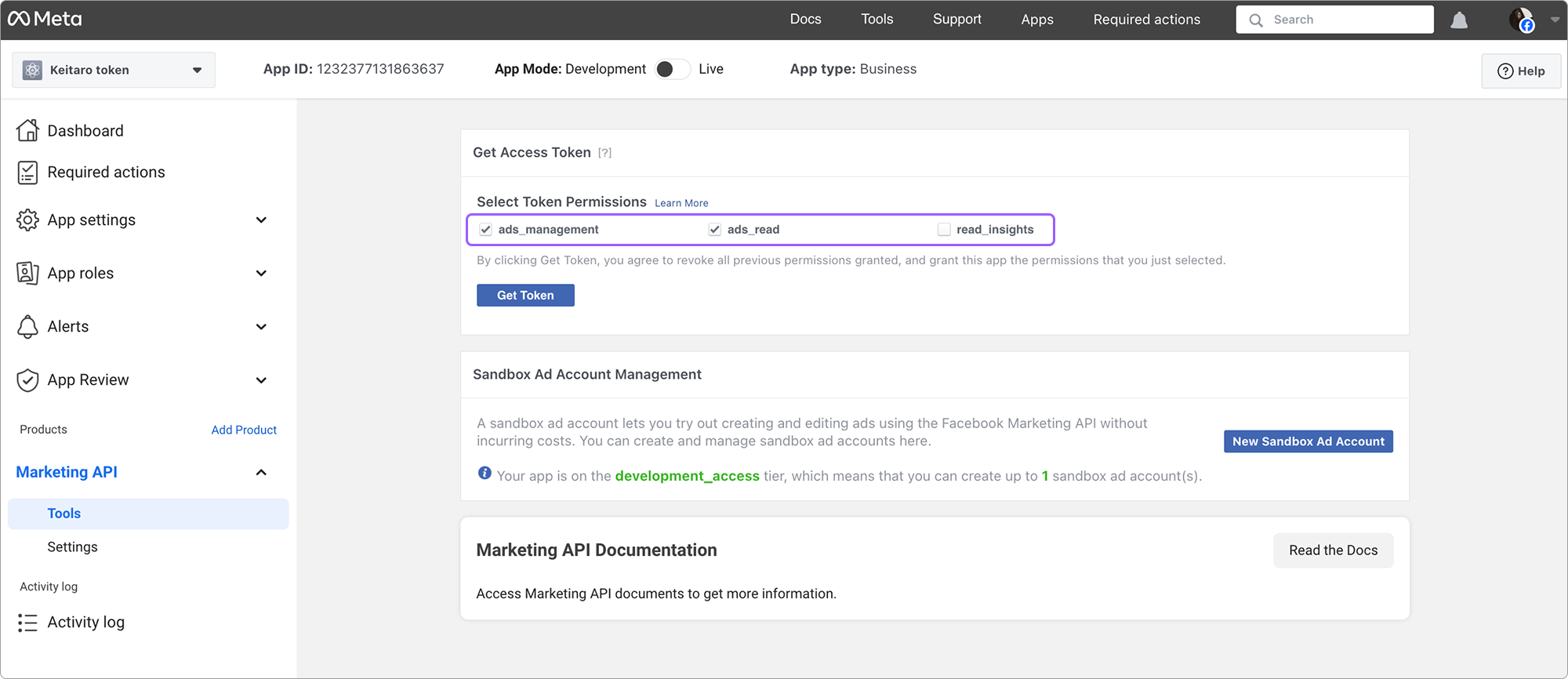
- Open Tools. Select all checkboxes and click the token generation button:
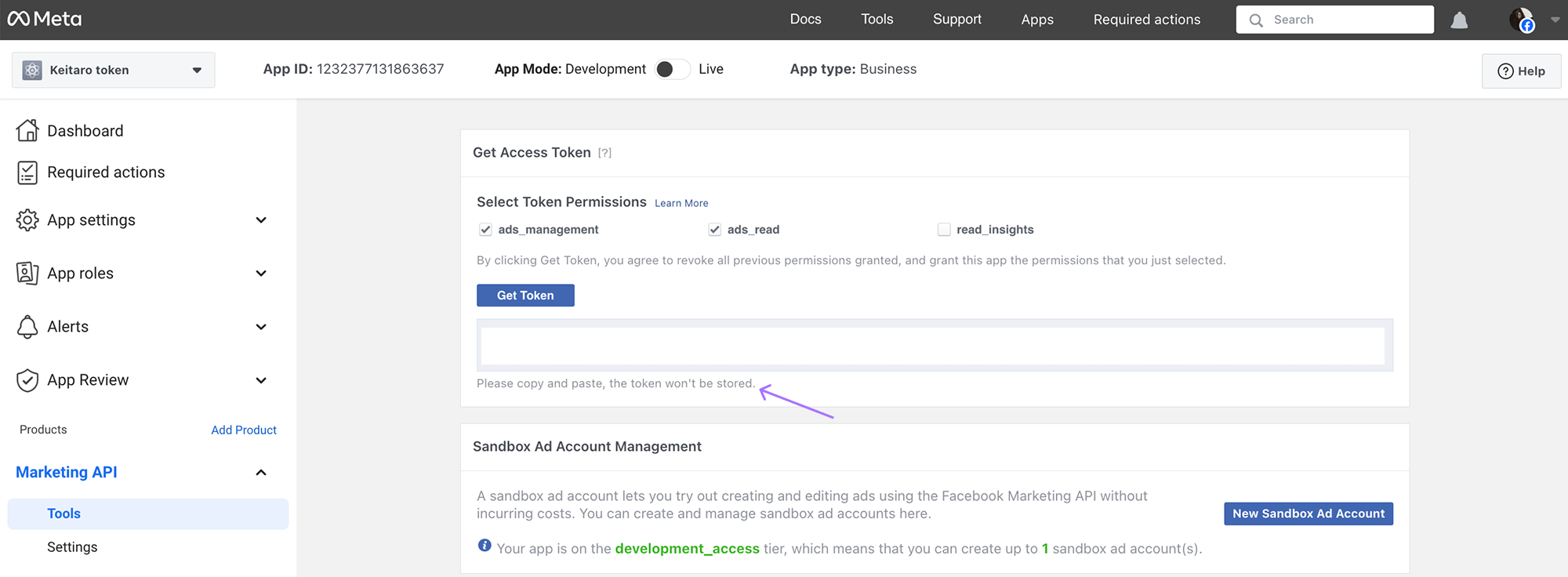
- Copy the app API token:
# Access Token in New Facebook Accounts
Instructions for new accounts
Create an app with the Create & manage ads with Marketing API use case.
Complete app creation and open the settings panel.
Select Set up use case and open the Tools tab.
Select all checkboxes and copy the access token.
# Setting Up a Campaign in Keitaro
To record costs in Keitaro, add the parameters from the Facebook source template to the campaign:
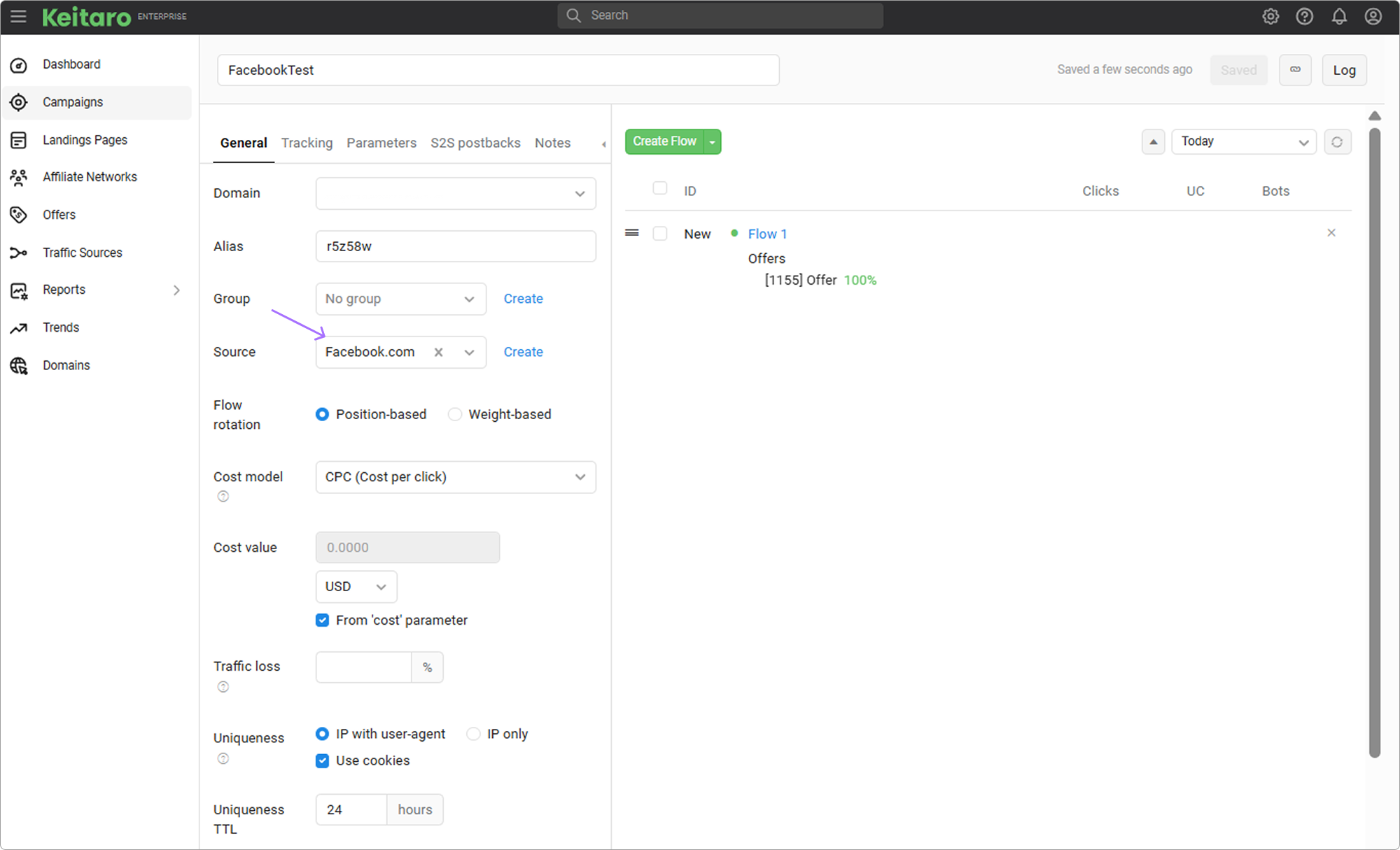
Cost import requires the ad set identifier, the {{adset.id}} parameter.
WARNING
If campaign parameters are empty or differ from the template, costs are not recorded.
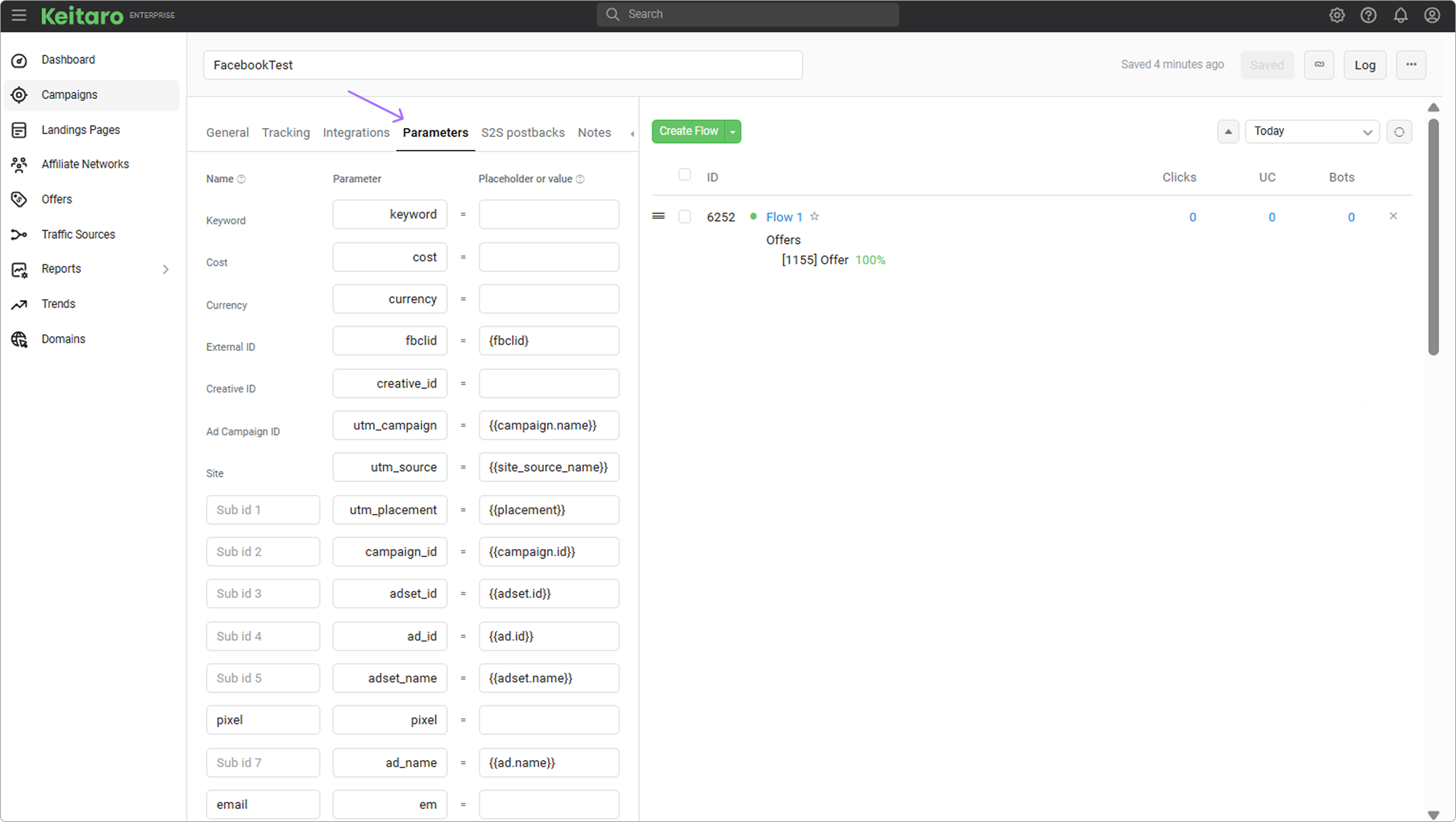
When sending traffic to a remote site connected through KClient PHP, Tracking script, or WordPress plugin, add the tags from the source template to the site URL. Example:
domain.com?adset_id={{adset.id}}&...
# Integrations List
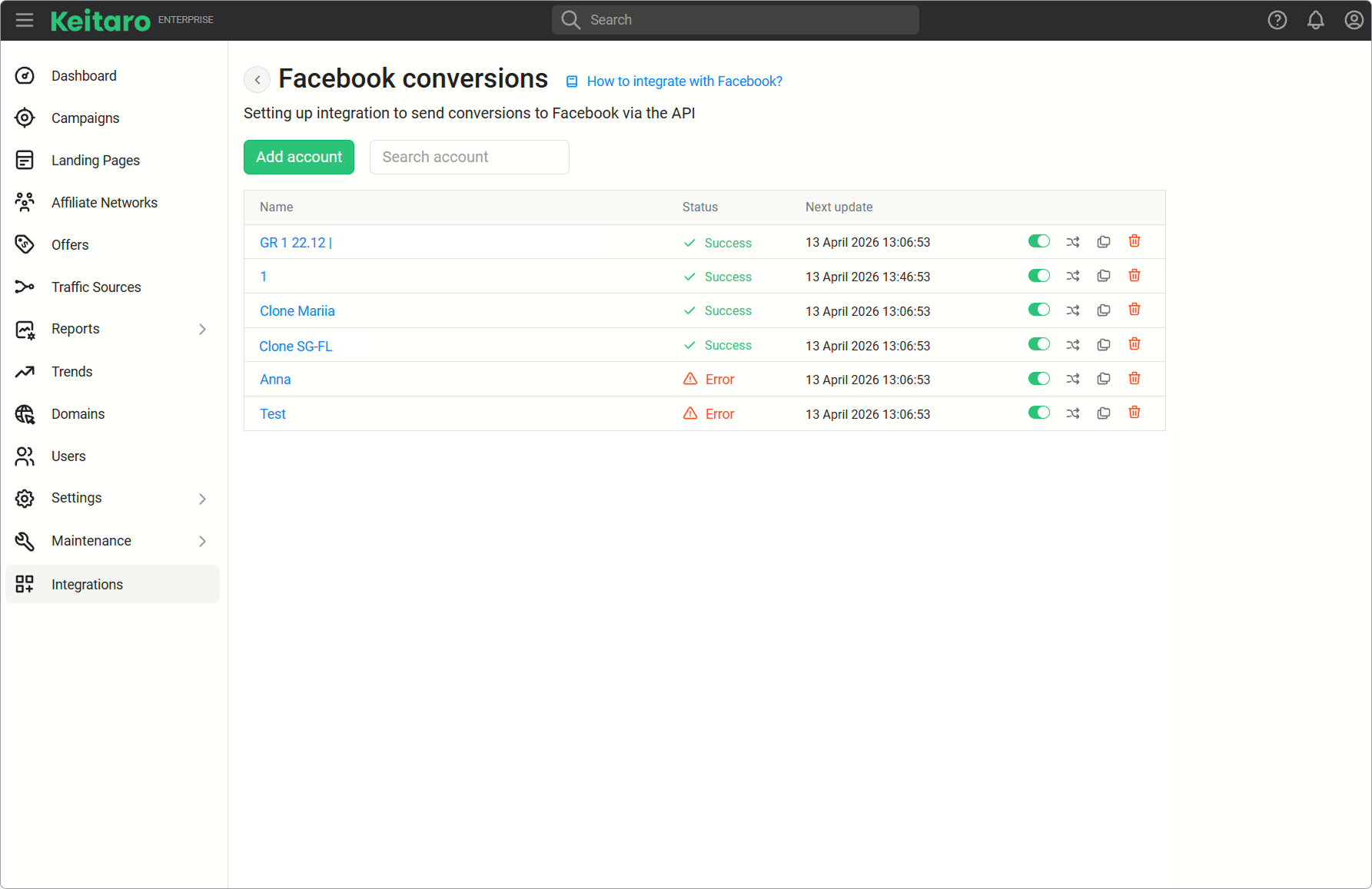
- Name. Integration name. Click it to open the editing form.
- Status. Integration status. If no campaign is selected in the integration settings, an error is displayed.
- Update costs. Manually starts cost updates for the selected integration.
- Pause / Resume. Pauses or resumes the integration.
- Clone. Creates a copy of the configured integration.
- Delete. Deletes the integration.
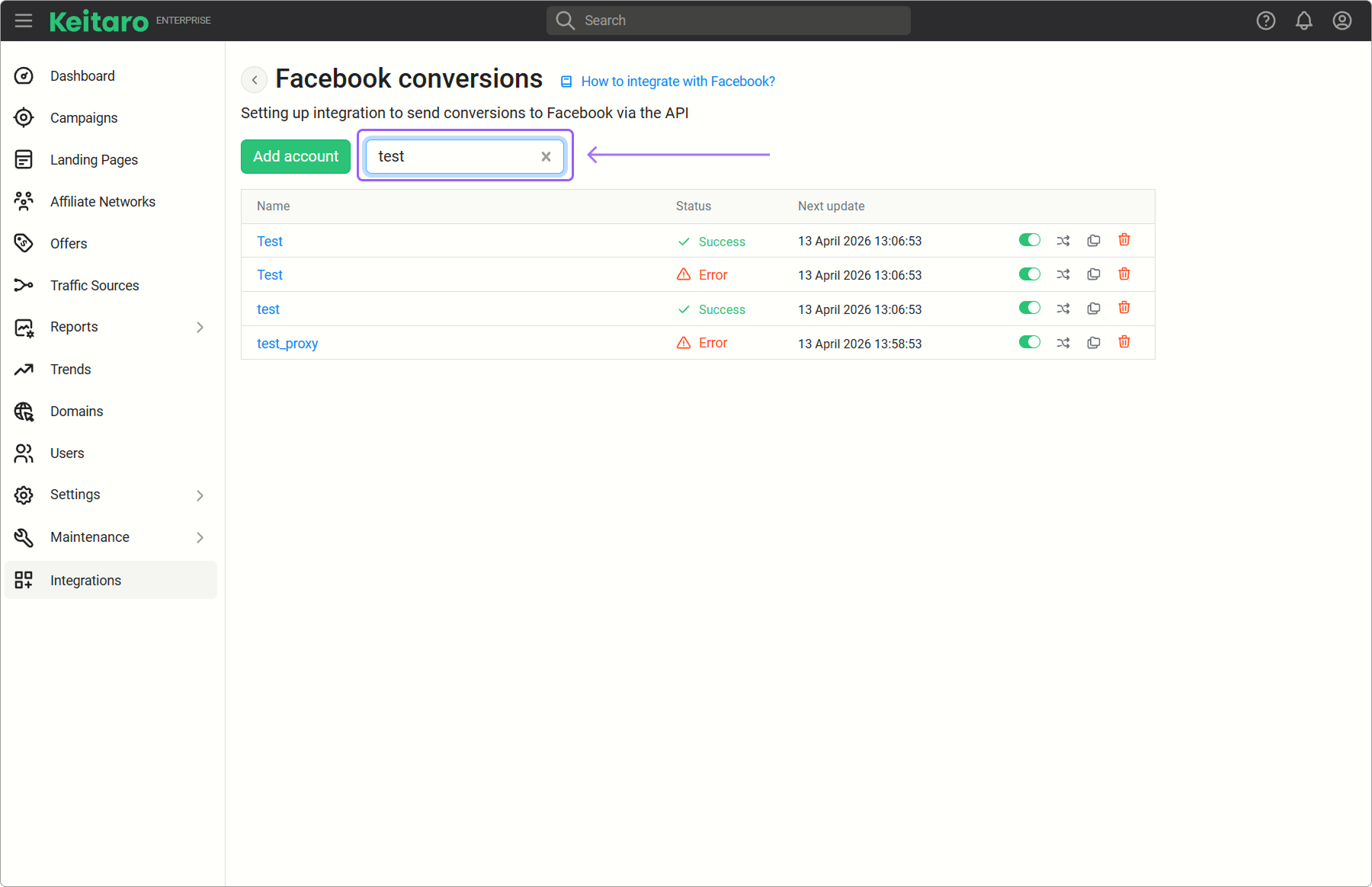
A search field by name is located above the list of added integrations:
# Proxy
Without a proxy, requests to Facebook API are sent from the tracker server.
Facebook periodically introduces geographic or IP restrictions. A proxy is used for:
- Access from a selected region, for example when setting up ads for specific countries;
- Reducing the risk of blocks or captcha during frequent automated requests.
To turn on a proxy, open an existing integration or create a new one and select Use proxy:
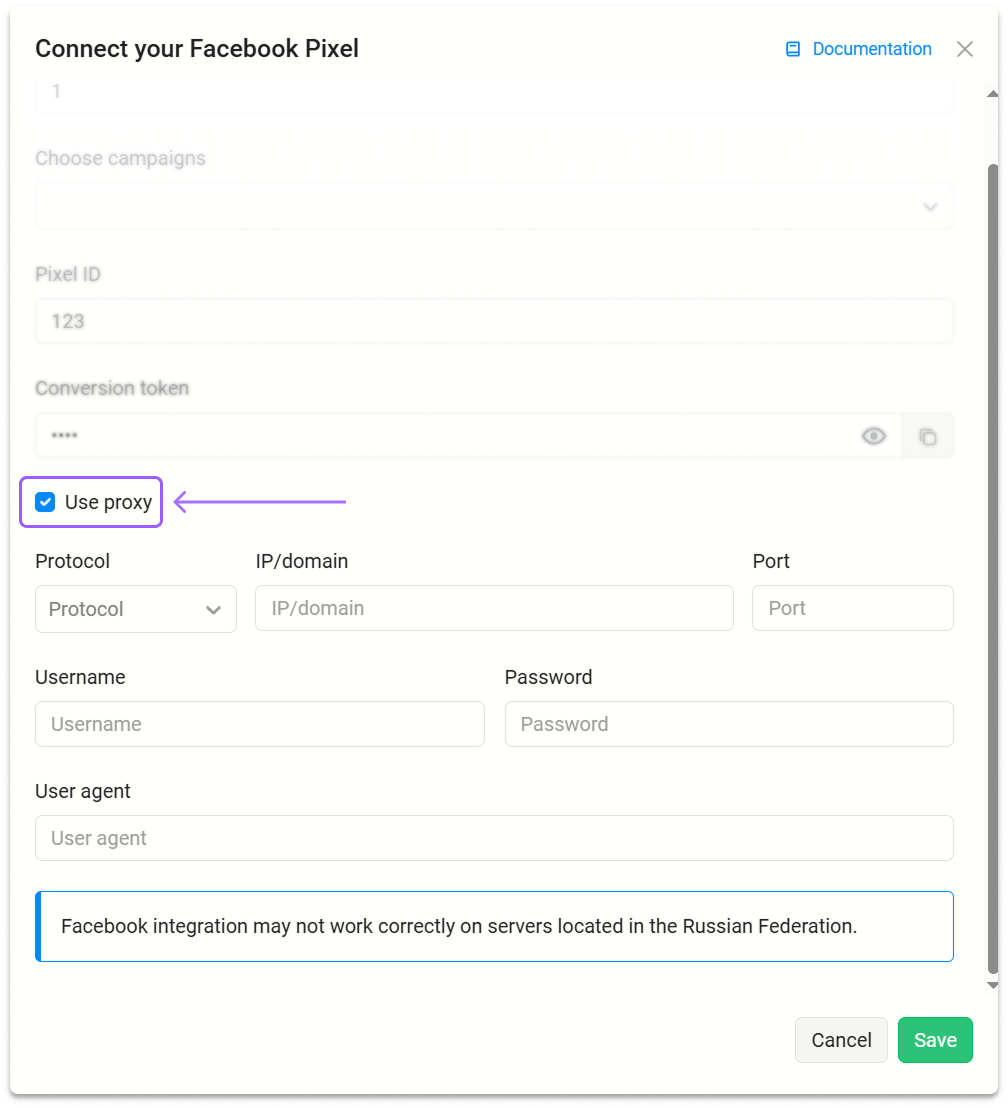
Enter proxy data and click Save.
# Error Diagnostics
# Costs Are Not Updated
Check:
- The current stable Keitaro version;
- Compatibility of the Facebook API version with the current tracker version;
- Ad account ID correctness;
- Marketing API access token correctness;
- Presence of Facebook source template parameters in the Keitaro campaign;
- Presence of tracker parameters in the Facebook ad campaign.
# Incorrect Access Token
If a connection error occurs, check the section from which the token was copied. The correct section:
# Integration Is Not Tied to a Campaign
The error is displayed when no Keitaro campaign is selected in the integration settings. Open the integration, add a campaign, and save the settings.
# FAQ
How does currency conversion work?
Keitaro takes the currency from the Facebook account and converts costs into the tracker currency.
What period is used for cost updates?
The integration updates costs for the last 5 days.
The first update covers 30 days.
How to pass Facebook parameters through an app?
If traffic goes through an app, Facebook parameters are passed through the chain Facebook → app → Keitaro.
For cost import, use the {{adset.id}} parameter.
Example:
- In Facebook, pass the
adset.idvalue to an app parameter:
sub1={{adset.id}}
- Pass the parameter from the app to Keitaro:
sub1={sub1}
In this case, {sub1} is replaced with the actual adset.id value.
- Specify the following values in Keitaro campaign parameters.
- In the second column -
sub1; - In the third column -
{{adset.id}}.